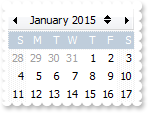
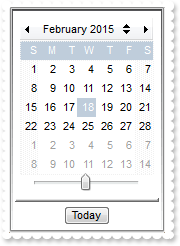
| 100 |
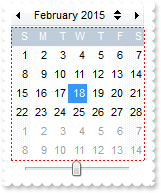
How can I remove an event
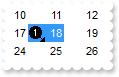
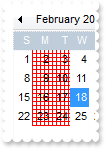
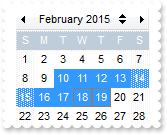
With Calendar1 .AutoSize = False .FixedCellWidth = 36 .Images "gBJJgBAIDAAGAAEAAQhYAf8Pf4hh0QihCJo2AEZjQAjEZFEaIEaEEaAIAkcbk0olUrlktl0vmExmUzmk1m03nE5nU7nk9n0/oFBoVDolFo1HpFJpVLplNp1PqFRqVTq" & _ "lVq1XrFZrVbrldr1fsFhsVjslls1ntFptVrtltt1vuFxuVzul1u13vF5vV7vl9v1/wGBwWDwmFw2HxGJxWLxmNx0xiFdyOTh8Tf9ZymXx+QytcyNgz8r0OblWjyWds+m" & _ "0ka1Vf1ta1+r1mos2xrG2xeZ0+a0W0qOx3GO4NV3WeyvD2XJ5XL5nN51aiw+lfSj0gkUkAEllHanHI5j/cHg8EZf7w8vl8j4f/qfEZeB09/vjLAB30+kZQAP/P5/H6/y" & _ "NAOAEAwCjMBwFAEDwJBMDwLBYAP2/8Hv8/gAGAD8LQs9w/nhDY/oygIA=" .Events.Add(Calendar1.Date).Image = 1 .Events.Remove Calendar1.Date End With |
| 99 |
How can I count the events
|
| 98 |
How can I clear all events
|
| 96 |
How can I assign an icon to a date
|
| 95 |
How can I enable or disable a date
|
| 94 |
How can I mark or highlight a date
|
| 93 |
How can I assign a tooltip or a comment to a date
|
| 92 |
How can I assign any extra data to a date
|
| 91 |
How can I change the background color for a date
|
| 90 |
How can I change the foreground color for a date
|
| 89 |
How can I draw a date as strikeout
|
| 88 |
How can I underline a date
|
| 87 |
How can I make italic a date
|
| 86 |
How can I bold a date
|
| 85 |
How can I get the last visible date being displayed in the calendar
With Calendar1 .ShowNonMonthDays = False .Events.Add(Calendar1.LastVisibleDate).Comment = "This is the last visible date" End With |
| 84 |
How can I get the first visible date being displayed in the calendar
With Calendar1 .ShowNonMonthDays = False .Events.Add(Calendar1.FirstVisibleDate).Comment = "This is the first visible date" End With |
| 83 |
How can I hide the ticker that's shown for dates that have a tooltip or a comment
|
| 82 |
How can I change the visual aspect of the dates that have a comment or a tooltip assigned
|
| 81 |
How can I change the visual aspect of the dates that have a comment or a tooltip assigned
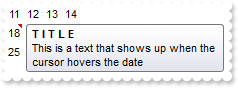
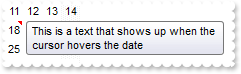
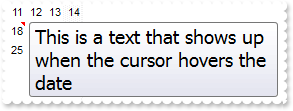
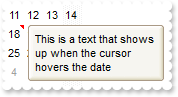
With Calendar1 With .VisualAppearance .Add 11,"c:\exontrol\images\normal.ebn" .Add 1,"CP:11 4 2 -2 -2" End With .CommentBackColor = &H1000000 .Events.Add(Calendar1.Date).Comment = "This is a text that shows up when the cursor hovers the date" .HideSelection = True End With |
| 80 |
How can I change the color to highlight the dates that have a comment or a tooltip assigned
|
| 79 |
How can I hide the days that are shown in gray, and doesn' belong to the month
|
| 78 |
How can I change the color for non working days
|
| 77 |
How can I change the pattern or the style to draw the non working days
|
| 76 |
How can I show or hide the non working days
|
| 75 |
How can I specify the non working days
|
| 72 |
How can I specify the min and max years to scroll within
With Calendar1 .MinScrollYear = 2001 .MaxScrollYear = 2010 End With |
| 71 |
How do I let the tooltip being displayed longer
|
| 69 |
How can I change the date that gets the focus
|
| 68 |
How can I select a new date
|
| 67 |
I've seen that the width of the tooltip is variable. Can I make it larger
|
| 66 |
How do I disable showing the tooltip for all control
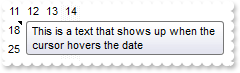
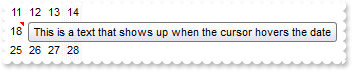
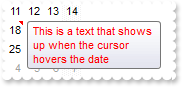
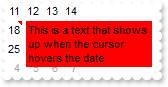
With Calendar1 .ToolTipDelay = 0 .Events.Add(Calendar1.Date).Comment = "This is a text that shows up when the cursor hovers the date" .HideSelection = True End With |
| 65 |
How do I show the tooltip quicker
With Calendar1 .ToolTipDelay = 1 .Events.Add(Calendar1.Date).Comment = "This is a text that shows up when the cursor hovers the date" .HideSelection = True End With |
| 64 |
How do I call your x-script language
|
| 63 |
How do I call your x-script language
|
| 62 |
Can I change the font for the tooltip
|
| 61 |
How can I change the caption of the Today's button
|
| 59 |
How do I unselect a date
|
| 58 |
How do I get the list of selected dates
|
| 57 |
How do I select multiple dates
|
| 56 |
How do I get the selected date
|
| 55 |
How can I build a date expression
|
| 54 |
How can I select a new date
|
| 53 |
How can I select a new date
|
| 52 |
How can I change the browsed date
|
| 51 |
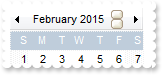
How can I show or hide the buttons that in the header
|
| 50 |
How can I show or hide the buttons that scrolls the years
|
| 49 |
How can I disable changing the month in the months selector
|
| 48 |
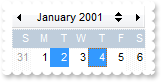
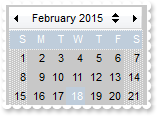
How can I change the visual aspect of the selected date, using your EBN
|
| 47 |
How can I change the colors for selected dates
|
| 46 |
How can I change the color of the line arround a month
|
| 45 |
How can I change the style of the line arround a month
|
| 44 |
How can I specify the number of months being displayed
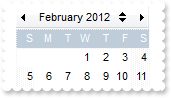
With Calendar1 .ShowTodayButton = False .ShowYearScroll = False .MinMonthX = 2 .MaxMonthX = 2 .MinMonthY = 2 .MaxMonthY = 2 End With |
| 43 |
How can I lock the control, so user can't select a new date
With Calendar1 .Locked = True End With |
| 42 |
How do I change the first day of the week
|
| 41 |
How do I change the name of the months
|
| 40 |
How do I change the name of the months
|
| 39 |
How do I change the name for each week day
|
| 38 |
How can I specify the width and height for dates being displayed in the calendar
With Calendar1 .AutoSize = False .FixedCellWidth = 22 .FixedCellHeight = 16 End With |
| 37 |
How can I specify the width and height for dates being displayed in the calendar
With Calendar1 .AutoSize = False .FixedCellWidth = 32 .FixedCellHeight = 24 End With |
| 36 |
How do I change the appearance for dates in the calendar
|
| 35 |
How do I specify the color for the grid lines
|
| 34 |
How do I draw the grid lines
|
| 33 |
How do I change the foreground color for the week days and week numbers header
|
| 32 |
How do I change the background color for the week days and week numbers header
|
| 31 |
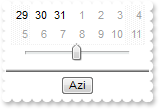
How can I show or hide the 'Today' button
|
| 30 |
How can I show or hide the scroll bar that changes the year
|
| 29 |
How can I show or hide the header that displays the months
|
| 28 |
How can I show or hide the header that displays the week days
|
| 27 |
How do I show or hide the weeks
|
| 26 |
How can I change the visual appearance of Today date in the calendar
|
| 25 |
How do I mark the Today date
|
| 24 |
How can I show the control's selection even if the control loses the focus
|
| 23 |
How can I hide the control's selection when the control loses the focus
|
| 22 |
How do I enable single selection
With Calendar1 .SingleSel = True End With |
| 21 |
How do I enable multiple selection
|
| 20 |
How do I disable or enable the control
With Calendar1 .Enabled = False End With |
| 19 |
Can I change the forecolor for the tooltip
|
| 18 |
Can I change the background color for the tooltip
|
| 17 |
Can I change the default border of the tooltip, using your EBN files
|
| 16 |
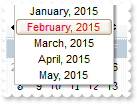
How can I change the visual appearance of the selected month, in the months selector, using EBN files
|
| 15 |
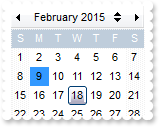
How can I change the visual appearance of Today date in the calendar, using EBN files
|
| 14 |
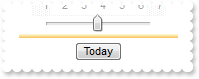
How can I change the visual appearance of separator between calendar and 'Today' button , using EBN files
|
| 13 |
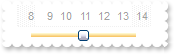
How can I change the visual appearance of the scrolling bar for years, using EBN files
|
| 12 |
How can I change the visual appearance of 'Today' button, using EBN files
|
| 11 |
How can I change the visual appearance of header , using EBN files
|
| 10 |
How can I change the visual appearance of header that week numbers, using EBN files
|
| 9 |
How can I change the visual appearance of header that displays days, using EBN files
|
| 8 |
How can I change the visual appearance of the drop down button, using EBN files
With Calendar1 .VisualAppearance.Add 1,"c:\exontrol\images\normal.ebn" .VisualAppearance.Add 2,"c:\exontrol\images\pushed.ebn" .Background(4) = &H1000000 .Background(5) = &H2000000 End With |
| 7 |
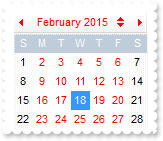
How do I change the visual appearance of the left and right buttons in the calendar's header, using EBN files
|
| 6 |
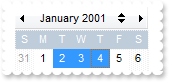
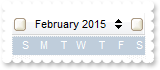
How do I change the visual appearance of the up and down buttons in the calendar's header, using EBN files
|
| 5 |
How do I change the control's foreground color
|
| 4 |
How do I change the control's background color
|
| 3 |
How can I change the control's font
|
| 2 |
How do I change the control's border, using your EBN files
|
| 1 |
How do I remove the control's border
|